INTEGRATION EXAMPLE
Connect HubSpot to MySQL: put CRM data to work.
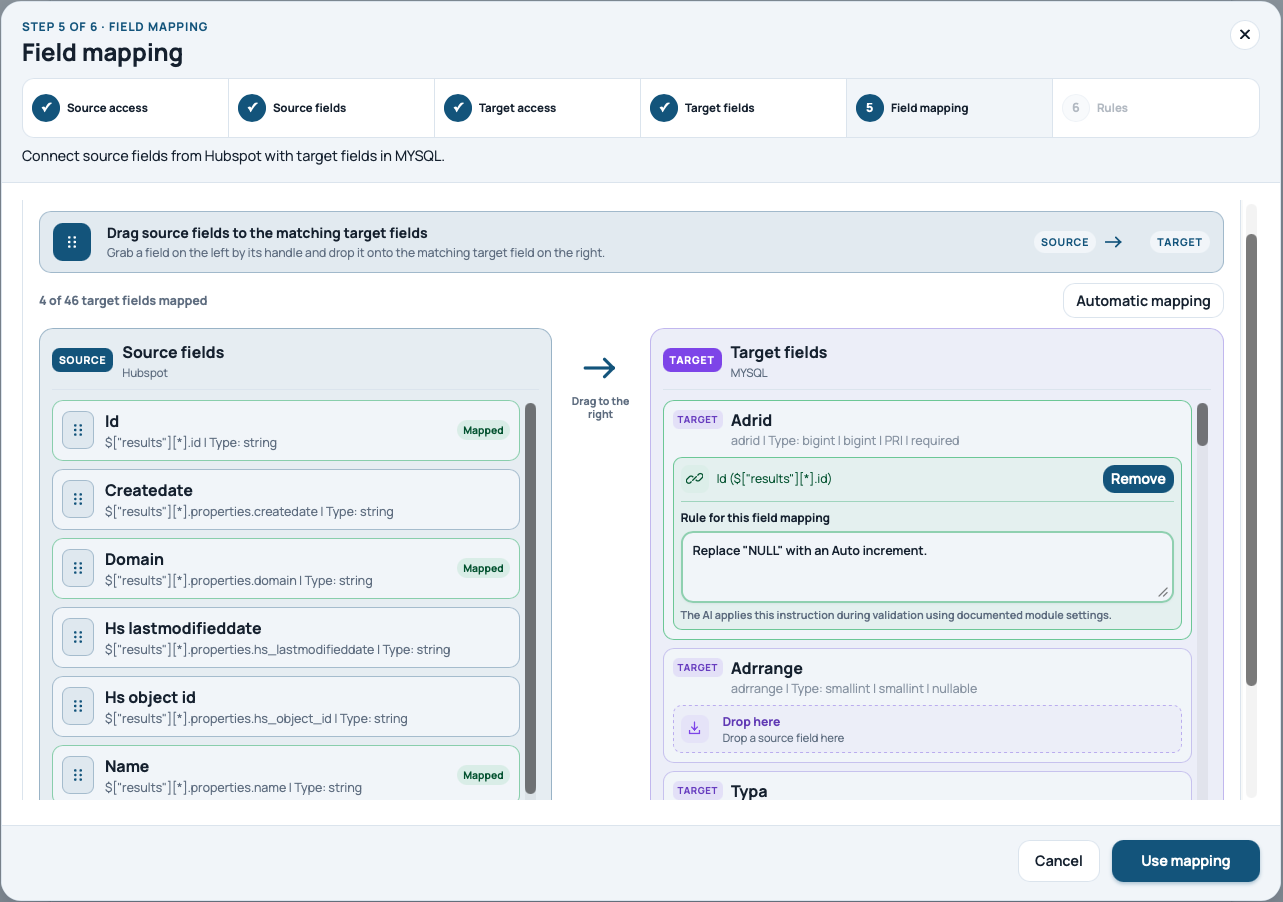
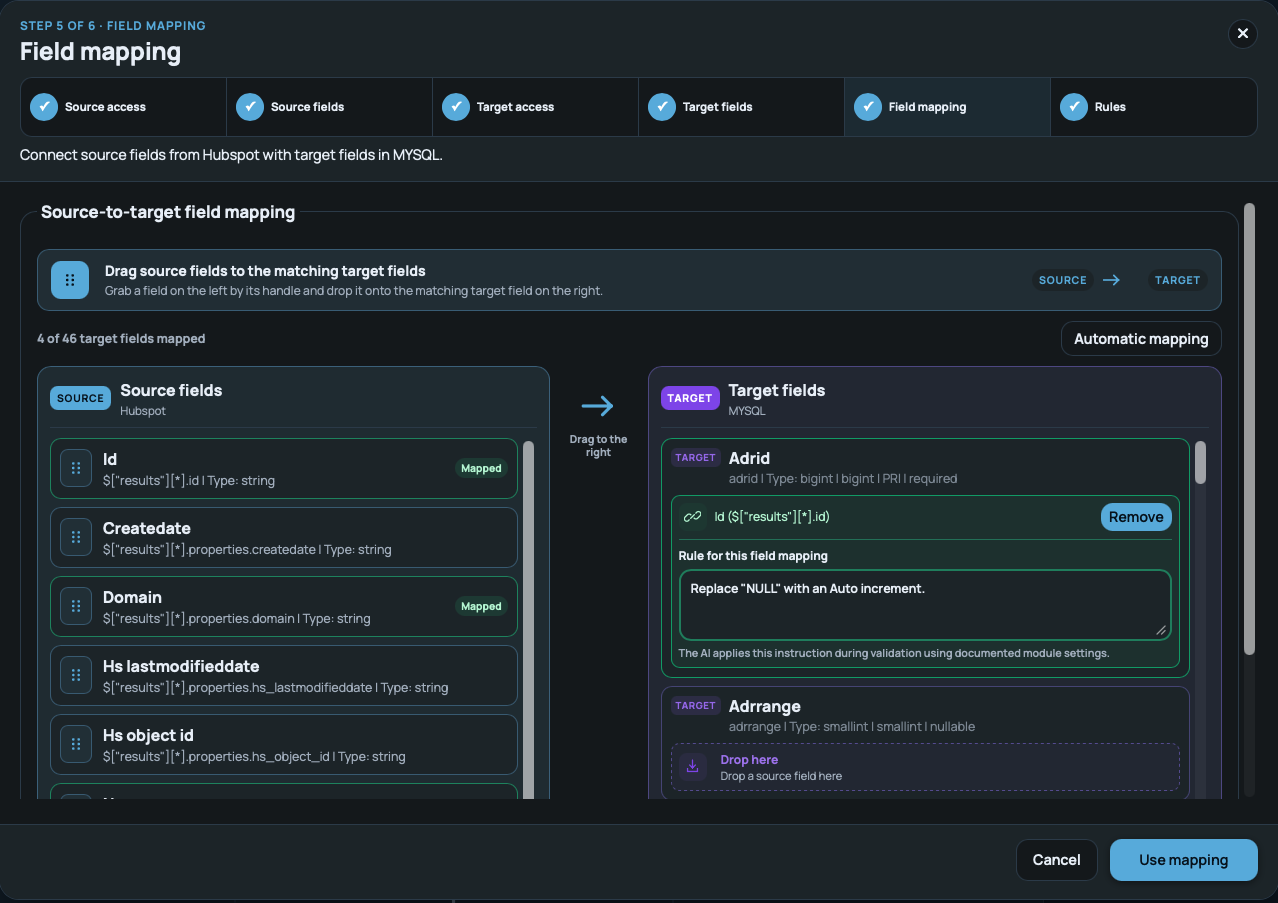
Make HubSpot company data available in a MySQL table for reporting or downstream processes. The product walkthrough shows this source and target combination. You define the actual data model.
What should arrive?
One possible outcome is an up-to-date company list containing a source ID, name and domain. The HubSpot Companies API provides company records and their properties. Decide which fields you need and may use before mapping.
Check access first
HubSpot needs suitable API access and permissions. MySQL must be reachable by the platform, with the destination table and permitted writes defined. Configure both connections separately. Do not put tokens or passwords into the AI description.
Make the mapping explicit
For example: HubSpot ID → external_id, name → company_name, domain → web_domain. This is an illustrative mapping, not a fixed onflAI schema. Types, required fields and missing-value handling must fit the target.
- Keep source IDs
- Check required fields
- Define null handling
Avoid duplicate records
Decide whether to update existing records or only create new ones. MySQL offers INSERT … ON DUPLICATE KEY UPDATE with an appropriate unique key. Check whether this write strategy is suitable for the connection in your specific setup.
Validation is not a real execution test
onflAI makes configuration and mapping reviewable. Also check actual writes to MySQL using test data: do IDs, special characters and empty fields behave correctly? Approve production execution only after these checks.
Keep operations visible
Define the interval and operational owner. The product example shows a 15-minute interval; yours depends on the plan, volume and system limits. Run status and errors support oversight. A screenshot is not proof of throughput or availability.