01CONNECT
Set up system access securely
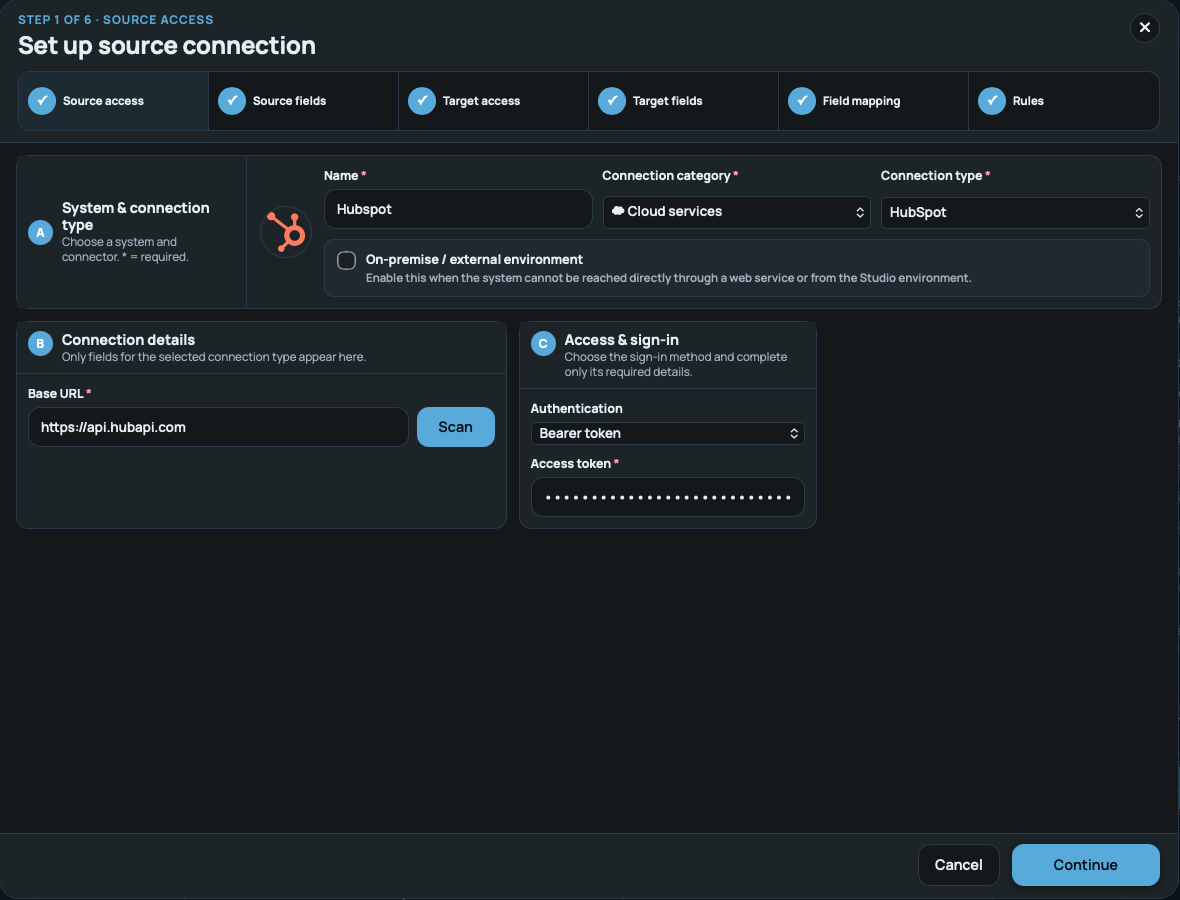
Choose the source and connection type. Credentials are captured separately by the platform – never inside the AI context.
✓Credentials stay separate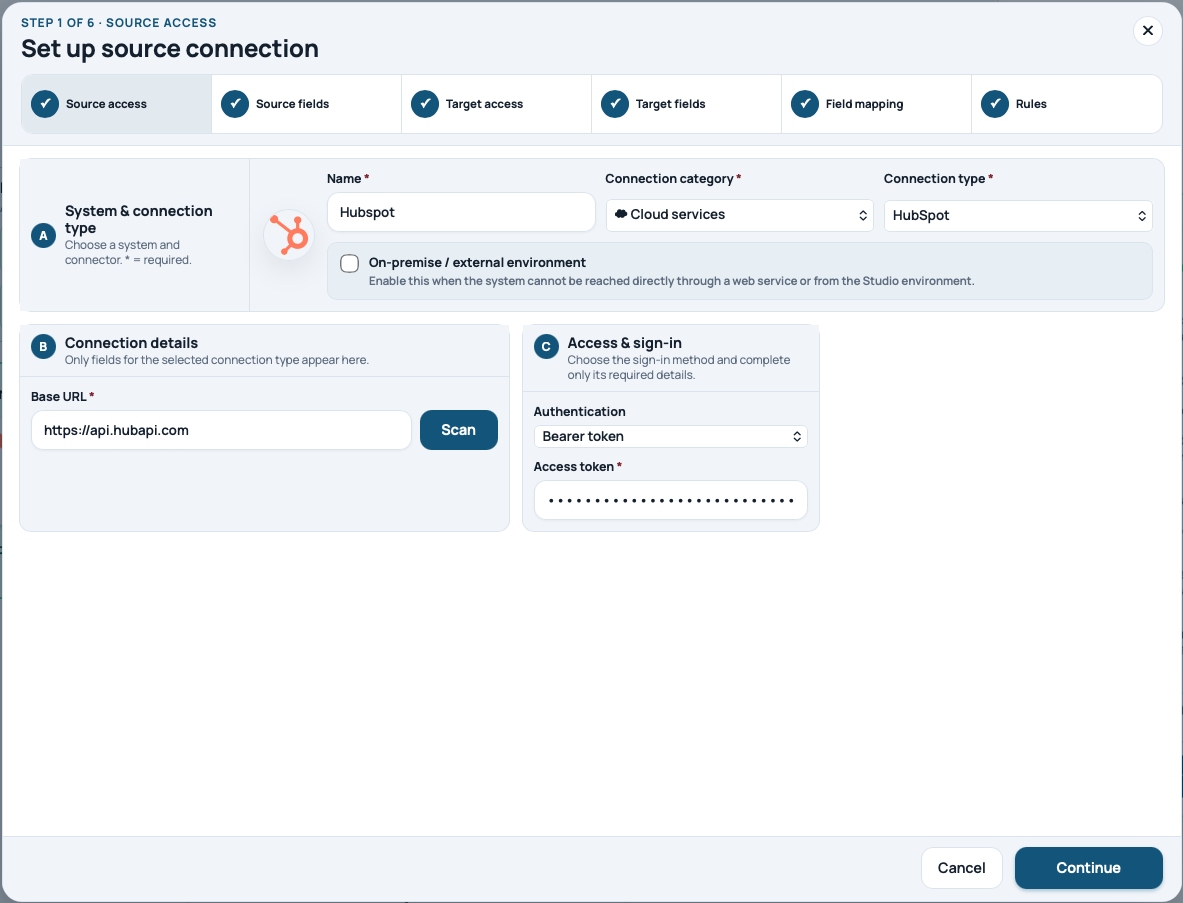

AGENTIC BUSINESS INTEGRATION PLATFORM
Connect cloud services, APIs, files and databases. From your input, onflAI builds and validates the integration configuration. You approve – the IOnbrix runtime executes. In the Studio or through connected AI agents.
RUNTIMEProduction monitored
◆ Credentials are processed separately and in encrypted form – never by the AI.
ALREADY IN USE
teams are already working with onflAI.
records are processed through onflAI every day.
The runtime executes approved integrations in production.
Review, correct and deliberately activate for production.
Figures supplied by onflAI · September 2026. Record volume is platform-wide, not a per-integration figure or plan allowance. Not a performance benchmark or capacity guarantee.




HOW IT WORKS
One example. Five steps. AI assists; you approve the move into production.
“Transfer company records from a web service into our SQL database.” Describe the outcome in your own words. onflAI turns it into a structured integration brief.
The goal, source and desired outcome are clear.
You supply source, fields, target and rules. AI assembles suitable IOnbrix building blocks and helps configure the mapping. You can see and adjust the configuration. The platform handles credentials separately and in encrypted form.
A visible integration configuration is prepared. Credentials remain outside AI.
Once your inputs are complete, onflAI checks fields, mappings and rules. A visible checklist shows progress and identifies gaps before approval.
A transparently validated configuration is ready for review.
Review the prepared integration and its rules. Only your deliberate approval turns it into an active integration.
The integration is approved. You remain in control.
The approved IOnbrix building blocks transfer your company records. The platform shows status, runs and errors so you can see what happens after launch.
Your business case becomes a running, monitored integration.
A LOOK INSIDE THE PRODUCT
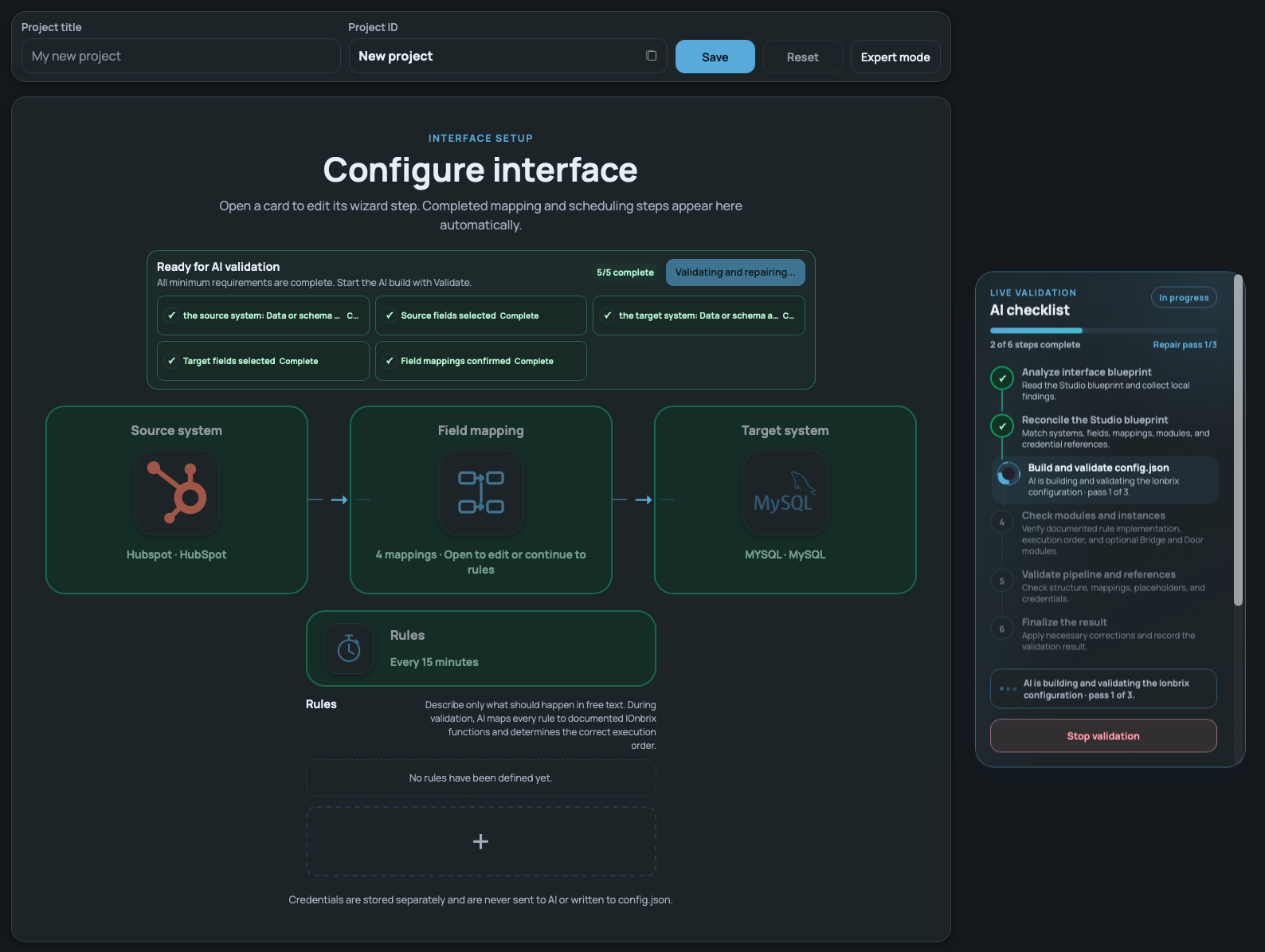
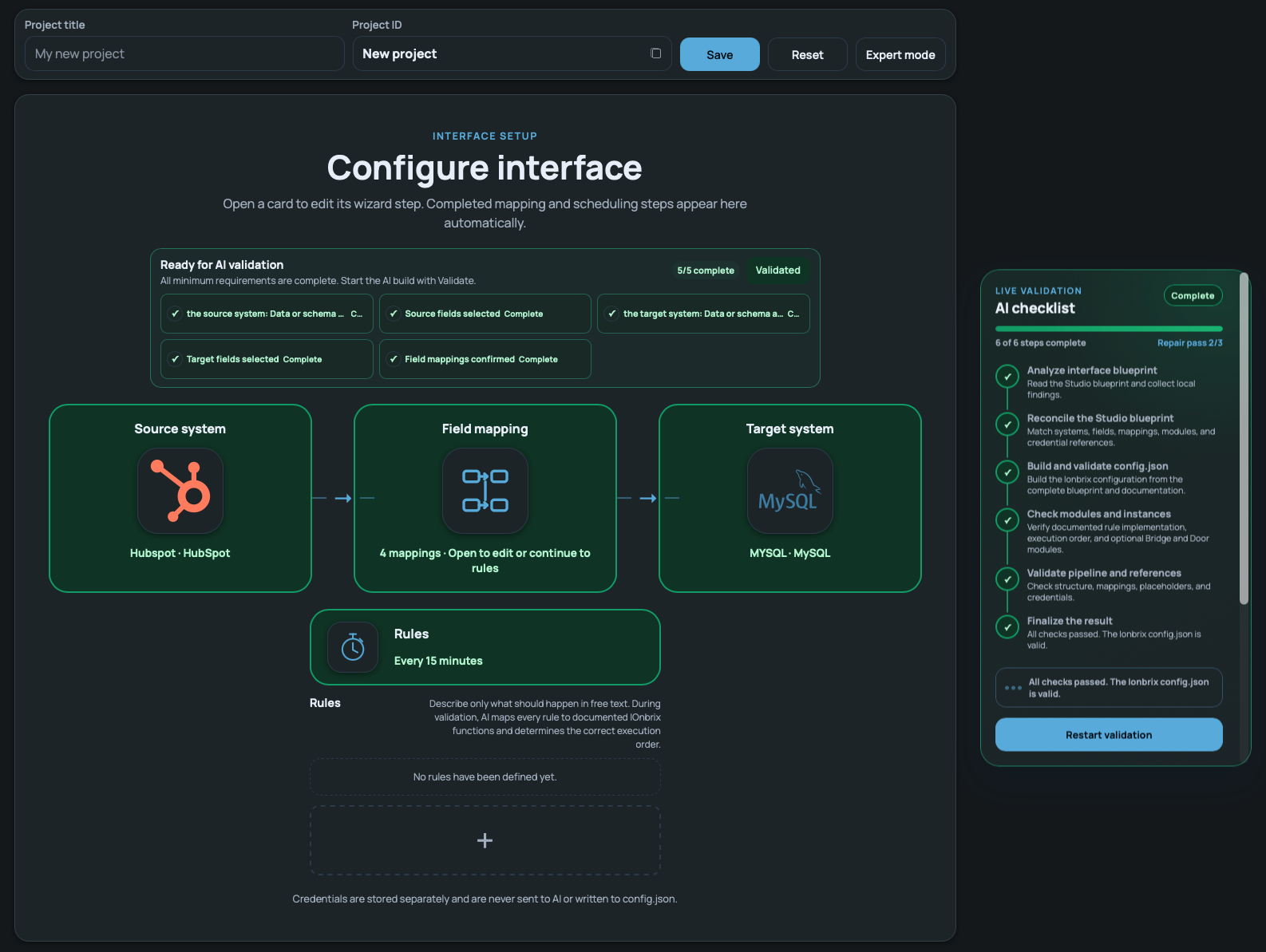
Actual product views using HubSpot → MySQL as an example. Source setup, mapping and validation illustrate the approach – for other cloud services and custom web services, too.
Choose the source and connection type. Credentials are captured separately by the platform – never inside the AI context.
✓Credentials stay separateonflAI reads the available fields. Teams select only what the business case actually needs.
✓Fields remain under control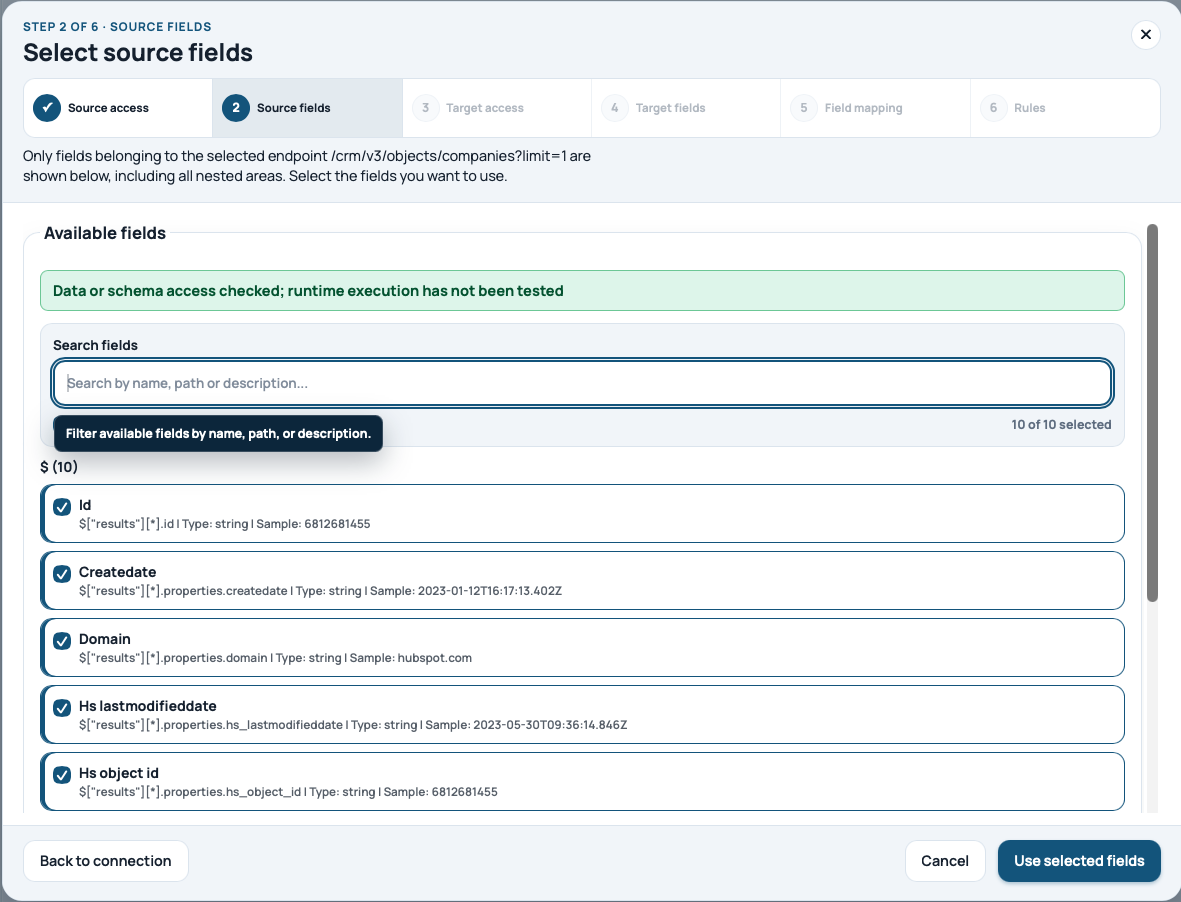
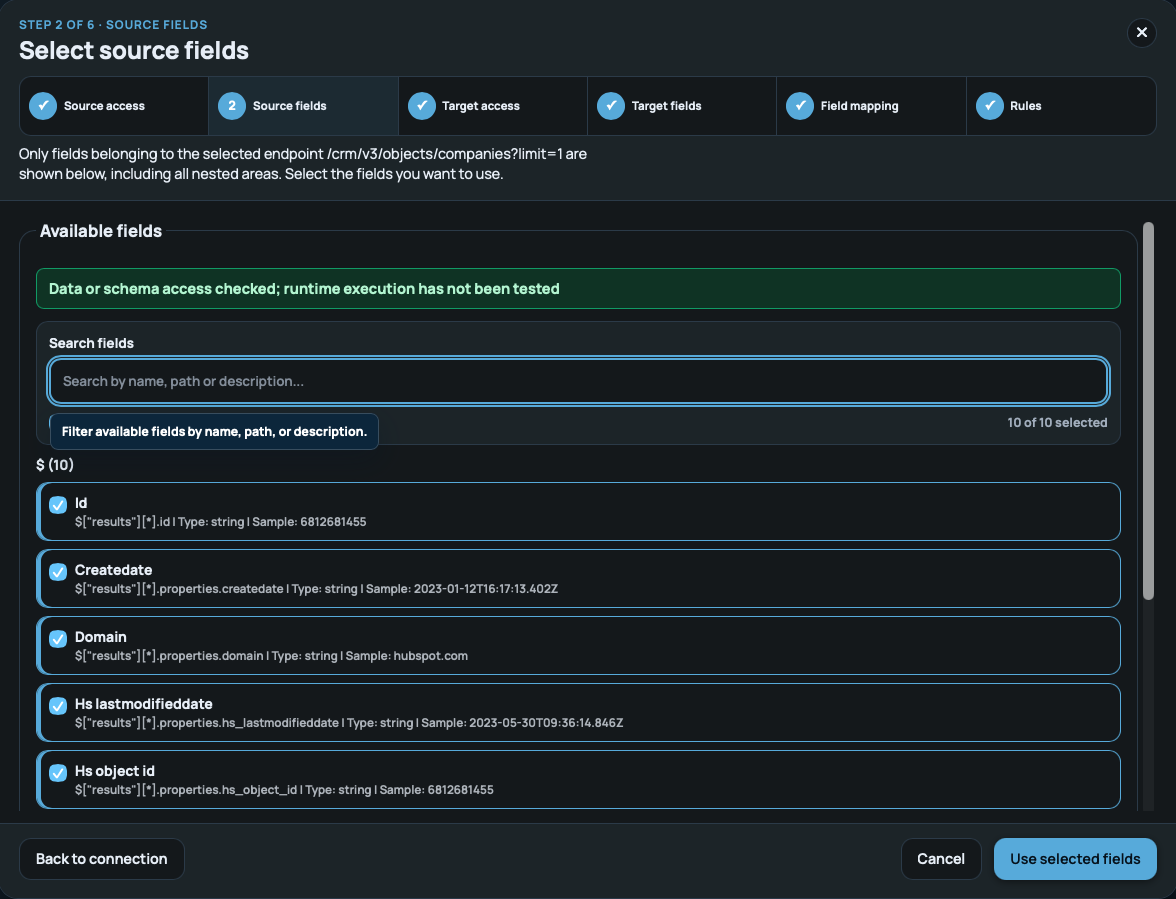
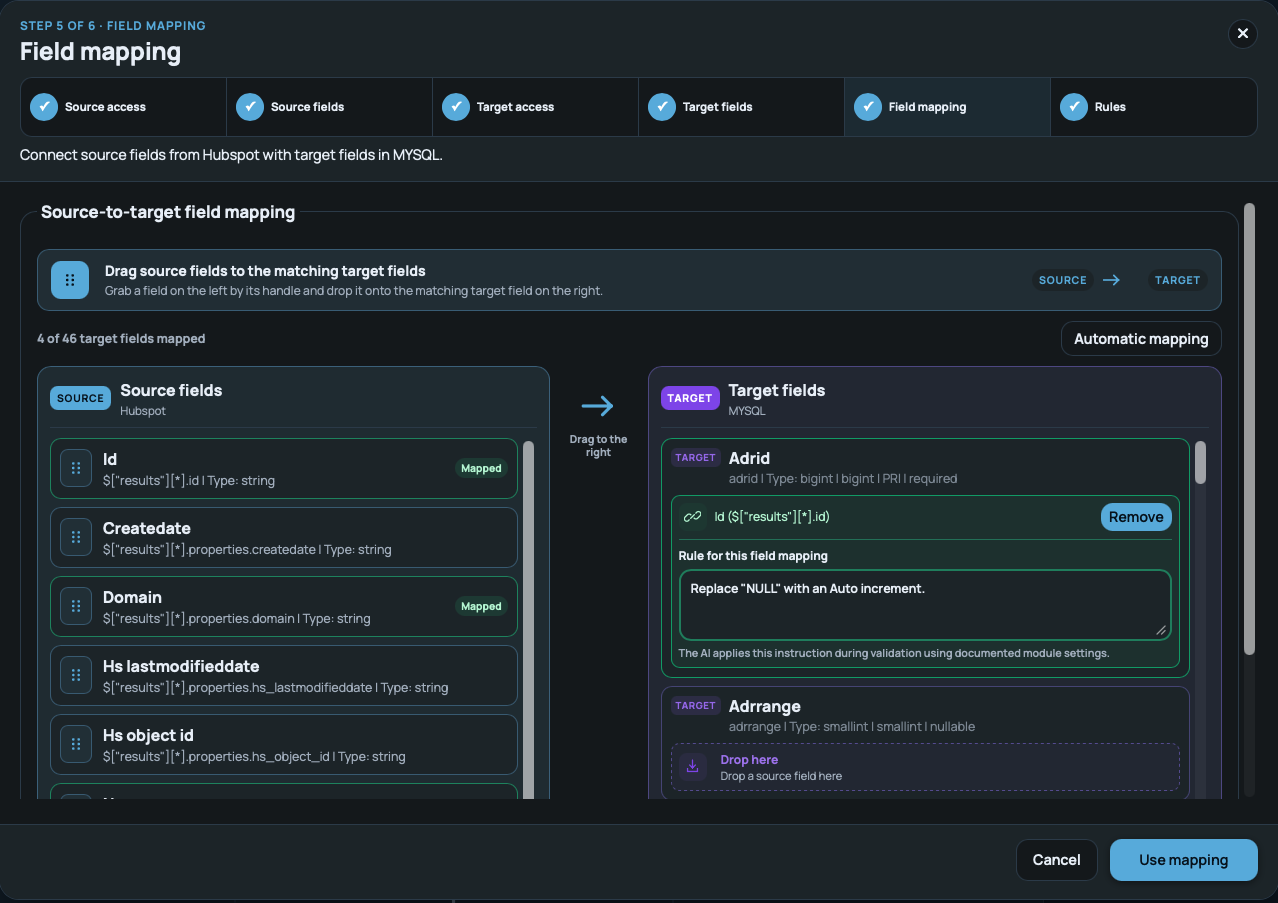
Fields, data types and transformations remain visible. Review and correct the mapping before approval.
✓Mappings stay reviewable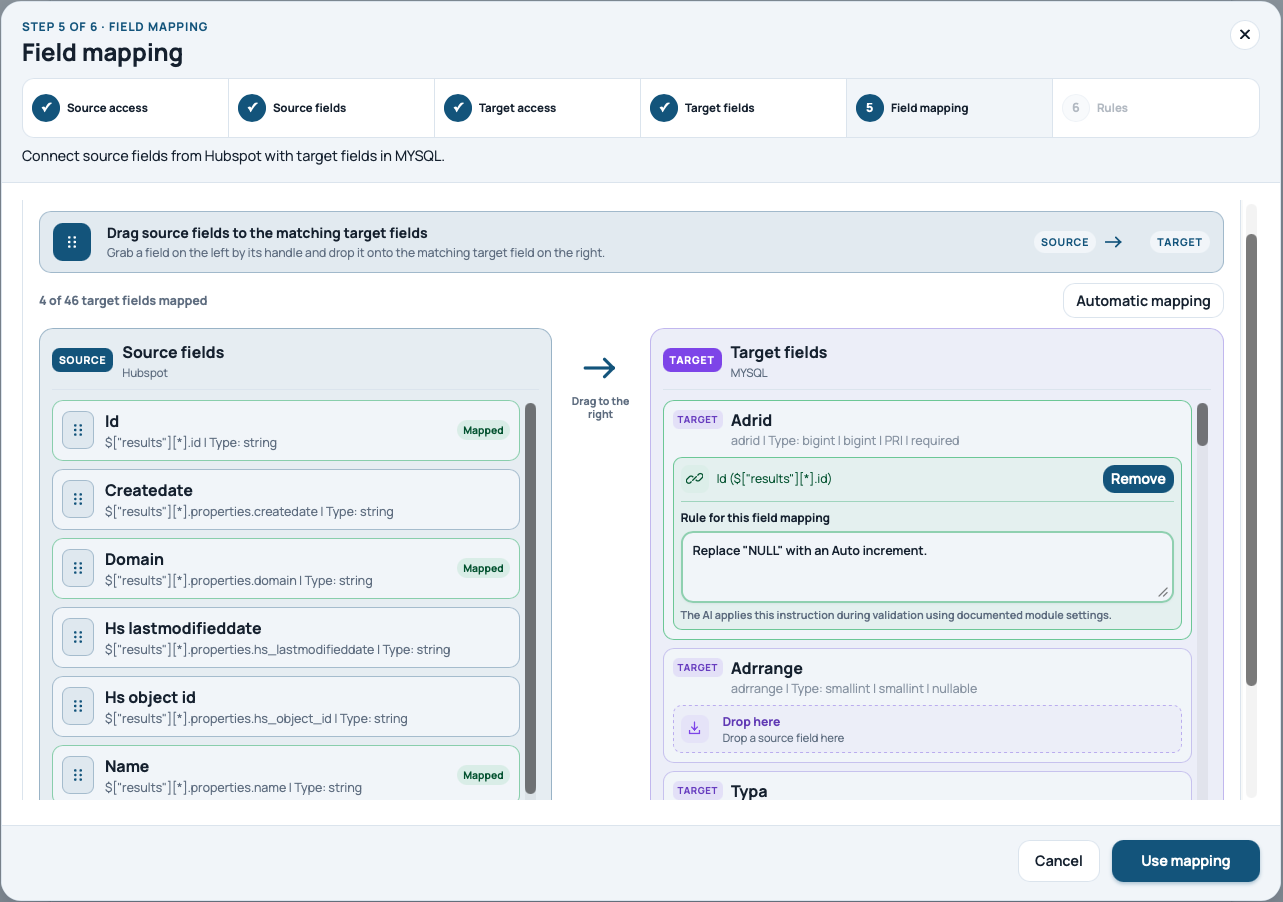
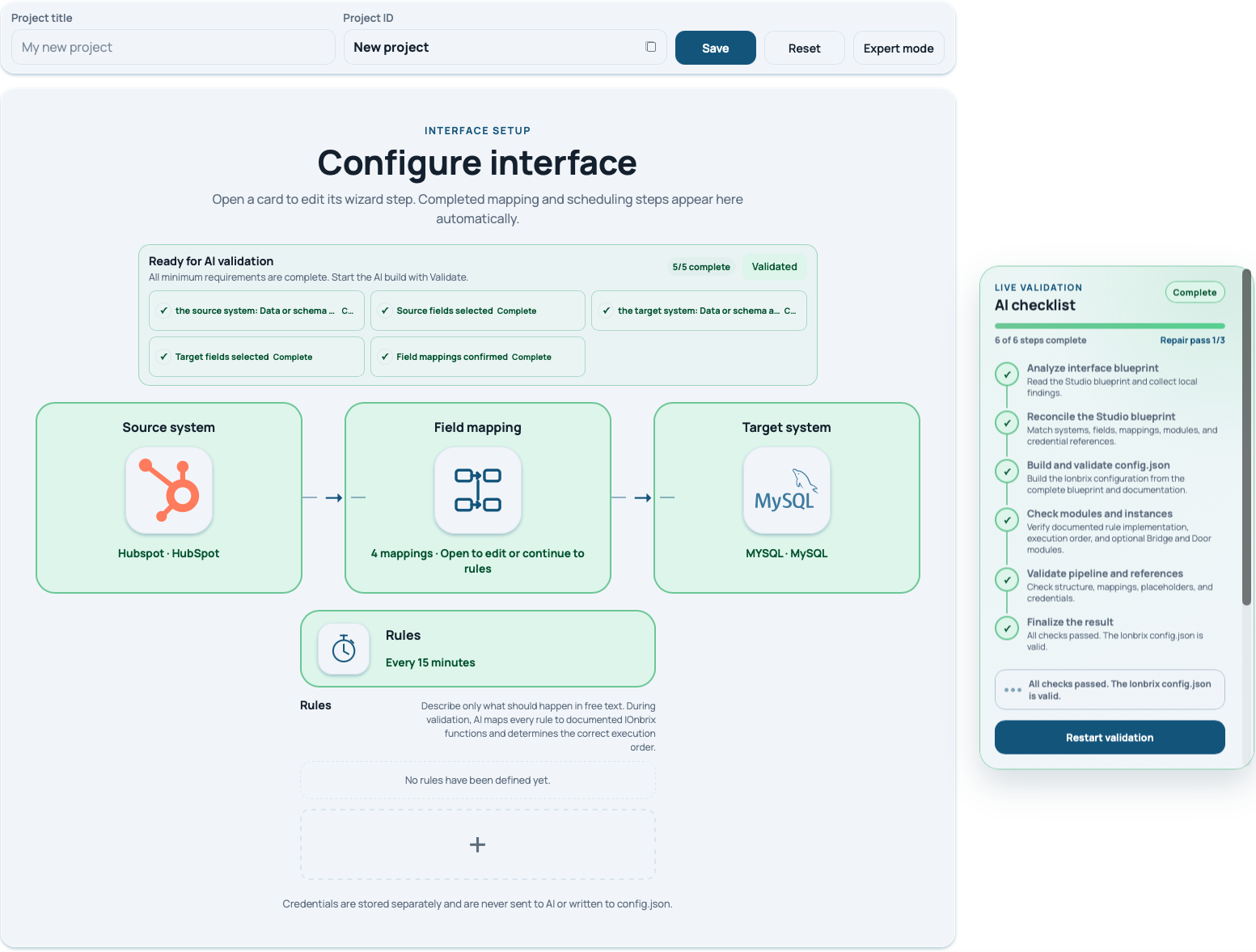
AI works through a visible checklist, detects gaps and confirms the technical configuration only after a successful review.
✓Validate first, then activate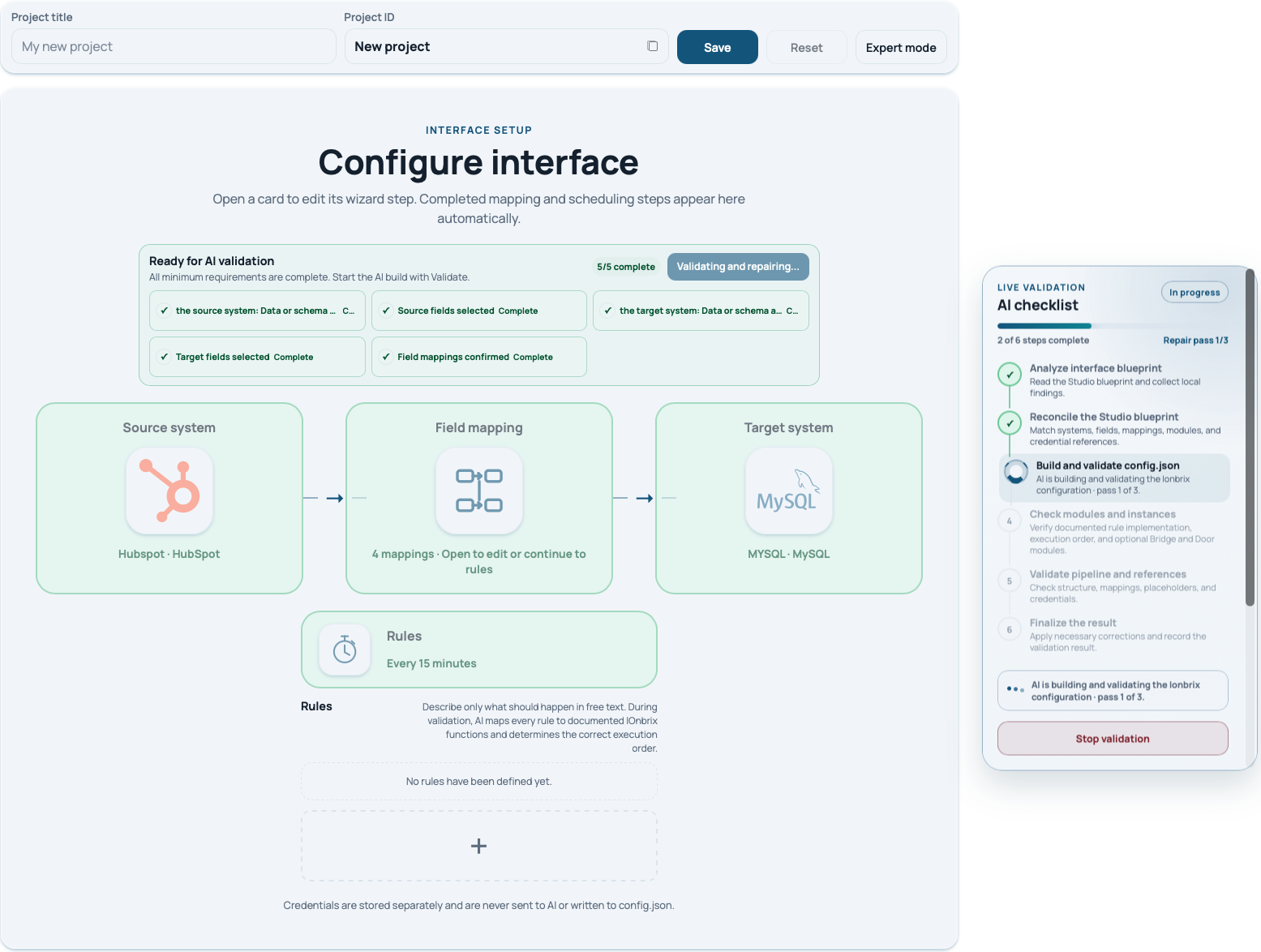
 Live flow
TWO WAYS IN. ONE PLATFORM.
Start directly in onflAI Studio. Or use approved integration capabilities from ChatGPT, Codex or Microsoft Foundry through MCP. Both paths lead to the same configuration, validation and controlled execution. You do not need your own agent.
Explore MCP & agents ChatGPT · Codex
 Microsoft Foundry
IOnbrix executes. Your approvals stay in place.
USE CASES
Cloud service, custom application or publicly accessible web service: onflAI connects your data processes through suitable REST or SOAP interfaces, files and databases. HubSpot is just one possible example.
Without integration: Customer records need to be maintained twice.
Pass qualified leads from a cloud CRM – such as HubSpot – into ERP as customers or orders. The workflow is built around your systems.
Without integration: Orders, stock and shipping fall out of sync.
Transfer new shop orders to ERP, reconcile stock and hand shipping over to logistics.
Without integration: Accounting and reports need manual reconciliation.
Pass payments and refunds from a payment provider’s API or a custom web service to finance and business intelligence.
Without integration: Support and field teams lack current customer data.
Route support tickets from a service cloud or custom application to the responsible field team, enriched with current CRM customer data.
THE PROBLEM – IN REAL CASES
Three common requirements. The effort lies in fields, rules, access, tests and operations.
WHERE ONFLAI FITS
Less technical translation for business teams. More control over the outcome for IT.
Where traditional approaches leave effort behind
A requirement becomes a project, code and permanent maintenance effort.
A fast start – while technical modelling, error logic and maintenance stay with the team.
Powerful – often designed for specialist integration teams and complex governance.
THE ONFLAI ANSWER
One continuous process instead of repeated handovers between requirements, development and operations.
The right solution depends on integration scope, governance and the operating model.
SECURITY BY DESIGN
Credentials are stored separately from the AI configuration, processed in encrypted form and used only inside the platform for the technical connection.
Strict separationBusiness logic and secret credentials are handled separately.
Deliberate approvalAI validates. An integration is activated only after controlled review.
Visible operationsStatus, run history and errors remain transparent to responsible teams.
Fields · Mapping · Rules · Error paths
separate · encrypted · controlled
✓ No secret credentials in the AI context
TECHNOLOGY
The architecture separates business understanding, validation, secret connection data and production execution.
THE TECHNOLOGY FOUNDATION
AI assembles the appropriate IOnbrix building blocks. After your approval, the runtime handles production execution, not the language model.
Capture the goal, systems and desired outcome in clear language.
AI translates the business case into the right technical configuration.
Modular technology for reliable integrations.
controlled · validated · monitored
AI plans and validates. IOnbrix executes in a controlled way.
SAVINGS SIMULATOR
From one to 500 integrations: see your Starter, Flex or Enterprise costs and potential savings compared with conventional delivery.
1–2: Starter or Flex · 3–100: Flex · 101–500: Enterprise. Starter is for limited usage.
Ongoing operation with scheduling and unlimited data volume. From 101 integrations, Enterprise applies.
Flex · 1 integration
Potential savings over 24 months
97.2 % lower integration costs
compared with estimated conventional delivery costs
Model estimate, not guaranteed savingsChoose source, target and period. Conventional costs per connection are multiplied by your integration count.
Not an onflAI price – estimated project and operating costs.
1 × €85,062.50 per integration over the selected period
Non-binding scenario: all selected integrations use the same source, target and effort class. Setup and operations scale linearly with the count; potential shared efficiencies are not included. Not an empirical market study or a custom-development quote. External licences, setup, internal effort and taxes are not fully included. Actual savings depend on the project. Assumptions, calculations & examples →
FREQUENTLY ASKED QUESTIONS
Clear answers about agentic integration, security, operations and costs.
onflAI is the Agentic Business Integration Platform: you describe the business goal. AI builds and validates the integration configuration. You approve. The IOnbrix runtime executes. Work in the Studio or through connected AI agents.
AI turns your business input into a reviewable integration configuration: it assembles IOnbrix building blocks and validates the structure. You supply missing details, review the result and approve it. Agentic means goal-directed AI assistance with building and checking integrations, not unrestricted access or autonomous production activation.
No. You can start directly in onflAI Studio. MCP also makes the same approved integration capabilities available from supported agent environments, including ChatGPT, Codex and Microsoft Foundry. The platform, credential separation and approvals stay the same.
You describe your goal, select source and target systems and choose the data you need. onflAI assists with mapping, rules and configuration. AI then checks the setup. You review the result and decide when to approve it for production.
You do not need to program a workflow to use guided configuration. You bring knowledge of your business process and the appropriate system access. Your IT team can help with special permissions or complex custom logic.
onflAI combines natural-language requirements with visible AI validation, human approval and production operations on IOnbrix. This creates a continuous path from business intent to a running integration. Workflow automation and classic iPaaS products place different emphasis on modelling, development and enterprise capabilities.
No. Your passwords, tokens and other secret credentials stay outside the AI context. The platform stores credentials separately from the AI configuration and processes them in encrypted form for the technical connection.
You decide when it goes live. AI prepares and validates the configuration. The integration is activated for production only after your review and deliberate approval.
onflAI connects cloud services, custom applications, web services, files and databases. HubSpot is an example, not a prerequisite. Your connection depends on the available interfaces, access permissions and data required.
Web service integrations focus on REST APIs and SOAP; file integrations use CSV, XLSX and XML. These connect cloud services as well as custom or publicly accessible web services into data processes. During setup, the endpoint, authentication, data structure and required read or write operations are aligned.
onflAI is designed for integrations with MySQL, Microsoft SQL Server, Oracle, Progress OpenEdge and PostgreSQL. A suitable database version, the right driver, a reachable server and the required permissions form the basis of the connection.
SAP can be included in an onflAI data process through suitable, approved interfaces. The connection method depends on your SAP product, version and available API access, so it is tailored to your SAP environment.
You match source fields to target fields and describe the rules – for example, date formats, required values or empty fields. AI helps configure suitable IOnbrix building blocks. The mapping stays visible and can be reviewed and adjusted before approval.
AI understands your requirement and assists with mapping, configuration and validation. IOnbrix executes the approved configuration in production. Intelligent preparation and controlled execution stay clearly separated, while approval remains with you.
The IOnbrix runtime executes your integration. Status, run history and errors remain visible, so you can follow the data process after launch and respond to issues.
Business teams contribute process knowledge and describe the desired outcome. IT and integration teams handle architecture, security and approvals. Operations keeps track of running integrations. Everyone works within the same transparent data process.
You can see the status, processed records, last calls, run history and errors of your integrations. This helps you follow operations and investigate issues. Your selected plan specifies the included monitoring and SLA capabilities.
Registration, configuration and platform testing are free. Starter costs €1 per active integration per month for up to two simultaneously active integrations per team, with one manual start and up to one hour runtime per day. Flex costs €99 per active integration per month; Enterprise starts at €99,000 per year for up to 200 integrations. The pricing page lists all features and usage limits. External licences, add-on services, transaction costs and taxes may apply separately. The simulator helps you estimate potential savings using transparent model assumptions.
Yes. Around 12 teams work with onflAI, and approximately 1.2 billion records are processed through the platform each day (September 2026). This volume describes usage across the whole platform. The features and limits of your selected plan apply to each individual integration.
YOUR FIRST BUSINESS CASE
Describe what should happen between your systems. onflAI guides you through a controlled path to production.